1
Put the material in the File Cabinet
Import Word documents, text files, spreadsheets and CSVs. GhostOffice reads them on your computer and keeps them together as sources the AI can draw on.
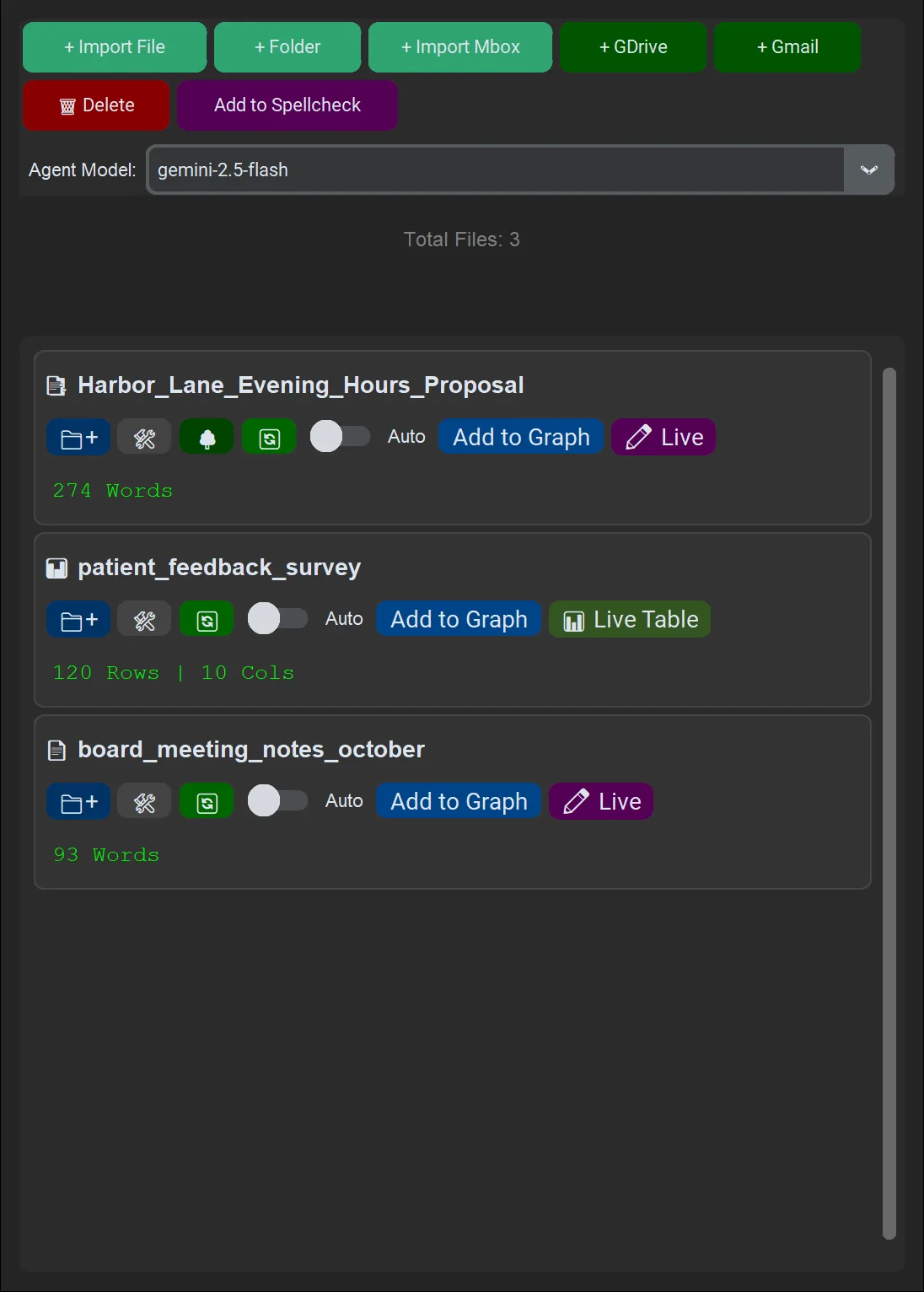

Desktop app · Windows · macOS · Linux
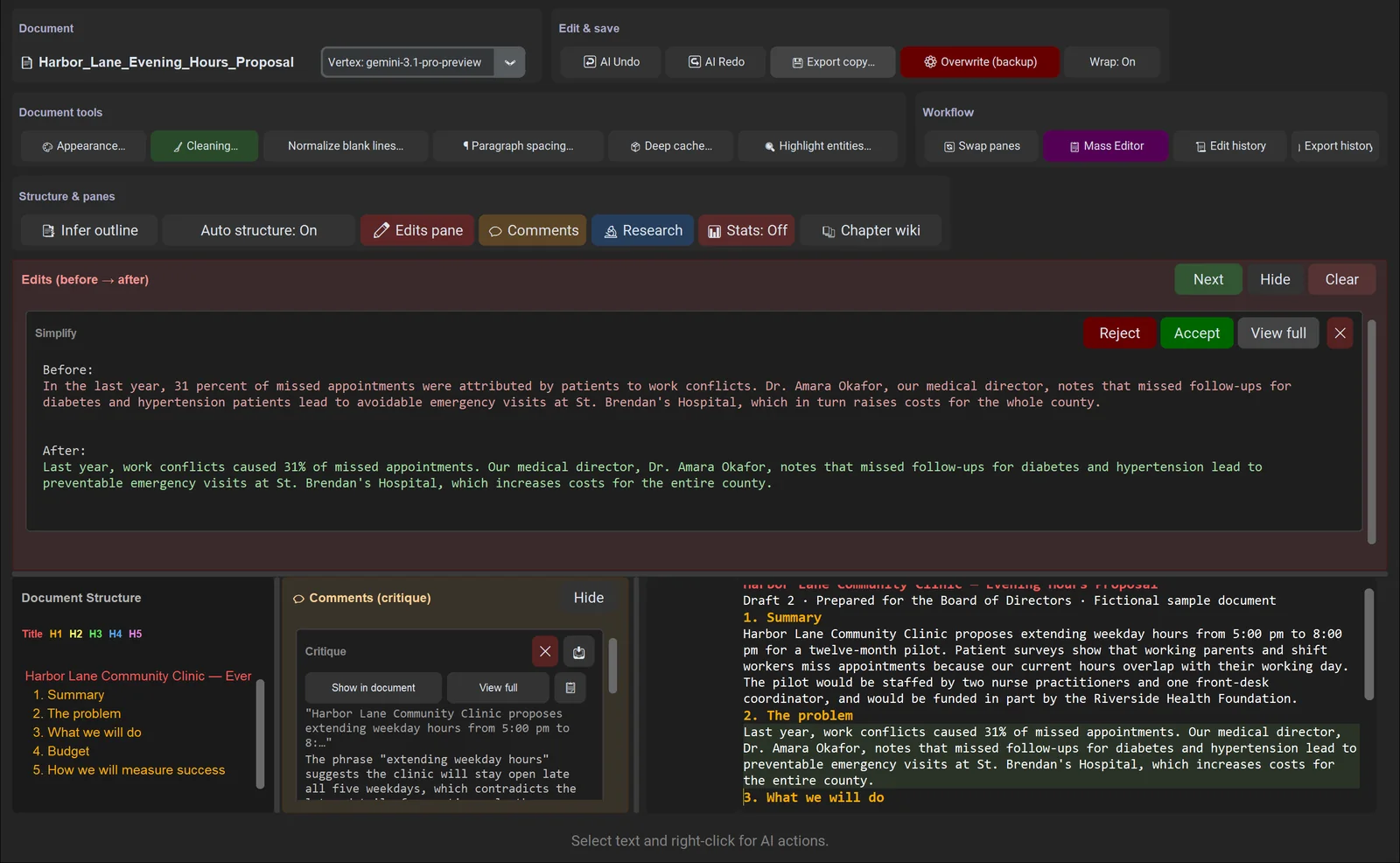
Open a report, proposal or manuscript. Select a passage and ask for a rewrite, a critique or a fact-check. The AI's work comes back as suggestions you accept or reject, and nothing changes in your document until you say so.
Works with Gemini, Claude or OpenAI using your own API key, or fully offline with Ollama.
A worked example
Every screen below is the real app, run on a made-up community clinic that wants to open in the evenings: a two-page proposal, 120 patient survey responses and the board's meeting notes. Names and numbers are fictional; the AI output is what the app produced.
Import Word documents, text files, spreadsheets and CSVs. GhostOffice reads them on your computer and keeps them together as sources the AI can draw on.
Right-click any selection for edits (Develop, Proofread, Simplify, Tone, Translate), comments (Critic, Critique, Devil's advocate) and research (Fact-check). Every action shows its prompt, model and how much surrounding text it reads, and you can write your own.
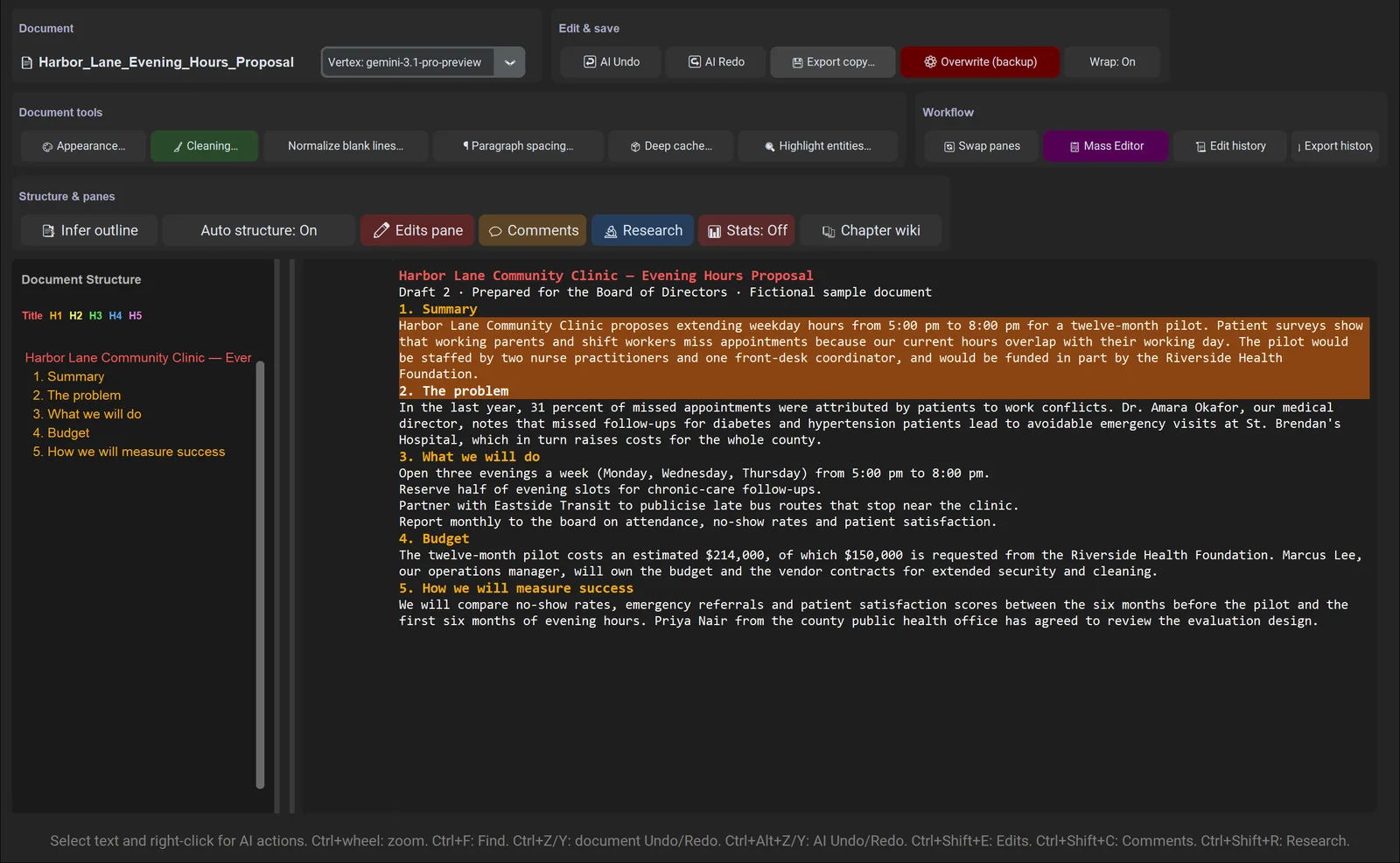
Critique on the proposal's summary arrived in the Comments pane, next to the text, without touching the document.
Comment · Critique
Ambiguous schedule: the summary proposes "extending weekday hours," which implies all five weekdays. Clarify up front that this pilot only covers three evenings per week to avoid misleading the Board.
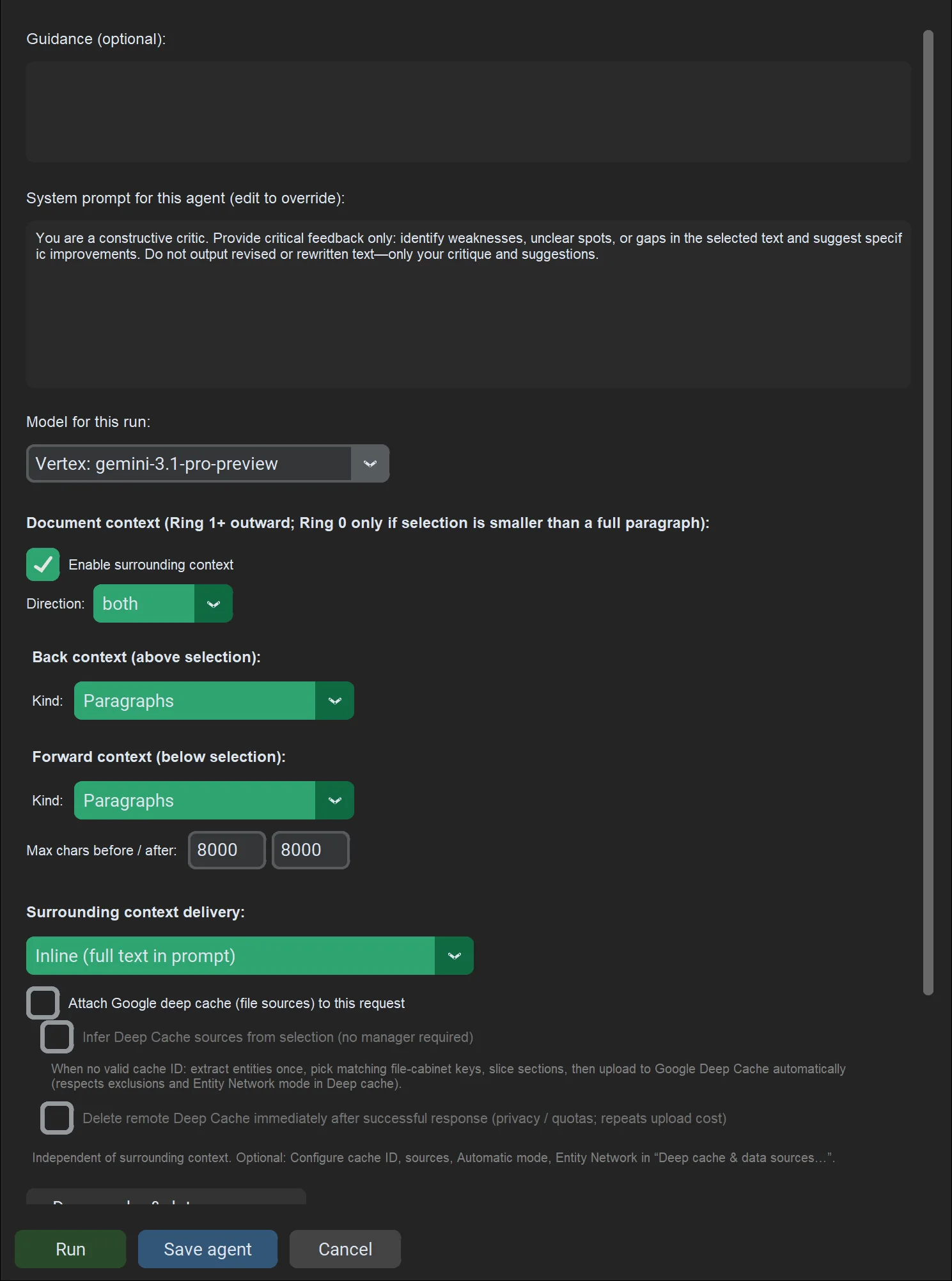
Simplify on the problem statement waits in the Edits pane until you decide.
Before → After
In the last year, 31 percent of missed appointments were attributed by patients to work conflicts. Dr. Amara Okafor, our medical director, notes that missed follow-ups for diabetes and hypertension patients lead to avoidable emergency visits at St. Brendan's Hospital, which in turn raises costs for the whole county.
Last year, work conflicts caused 31% of missed appointments. Our medical director, Dr. Amara Okafor, notes that missed follow-ups for diabetes and hypertension lead to preventable emergency visits at St. Brendan's Hospital, which increases costs for the entire county.
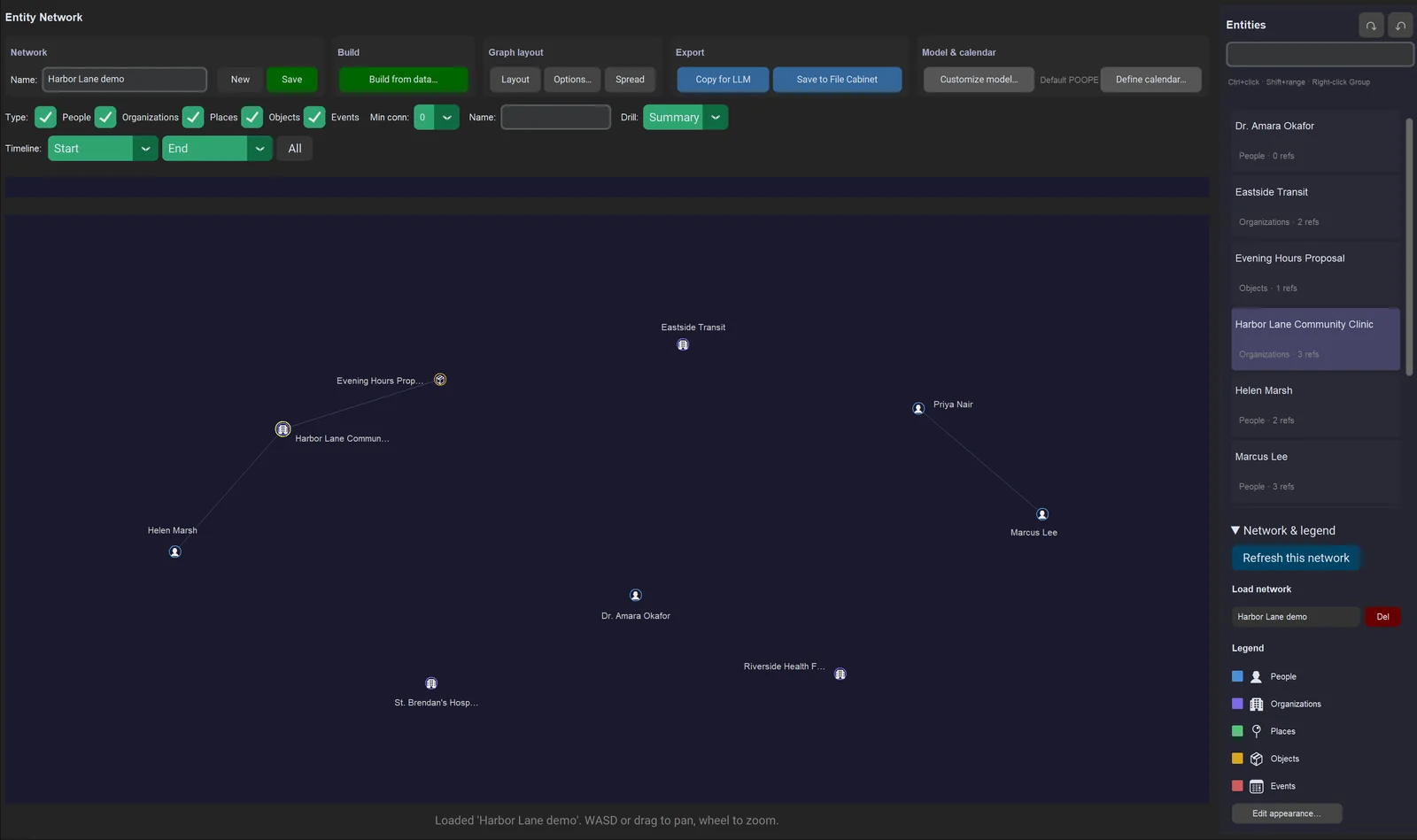
Entity Network maps the people, organizations, places, objects and events in your sources. From three short files it found nine, including the clinic, Dr. Okafor, the board chair, the funder and the hospital.
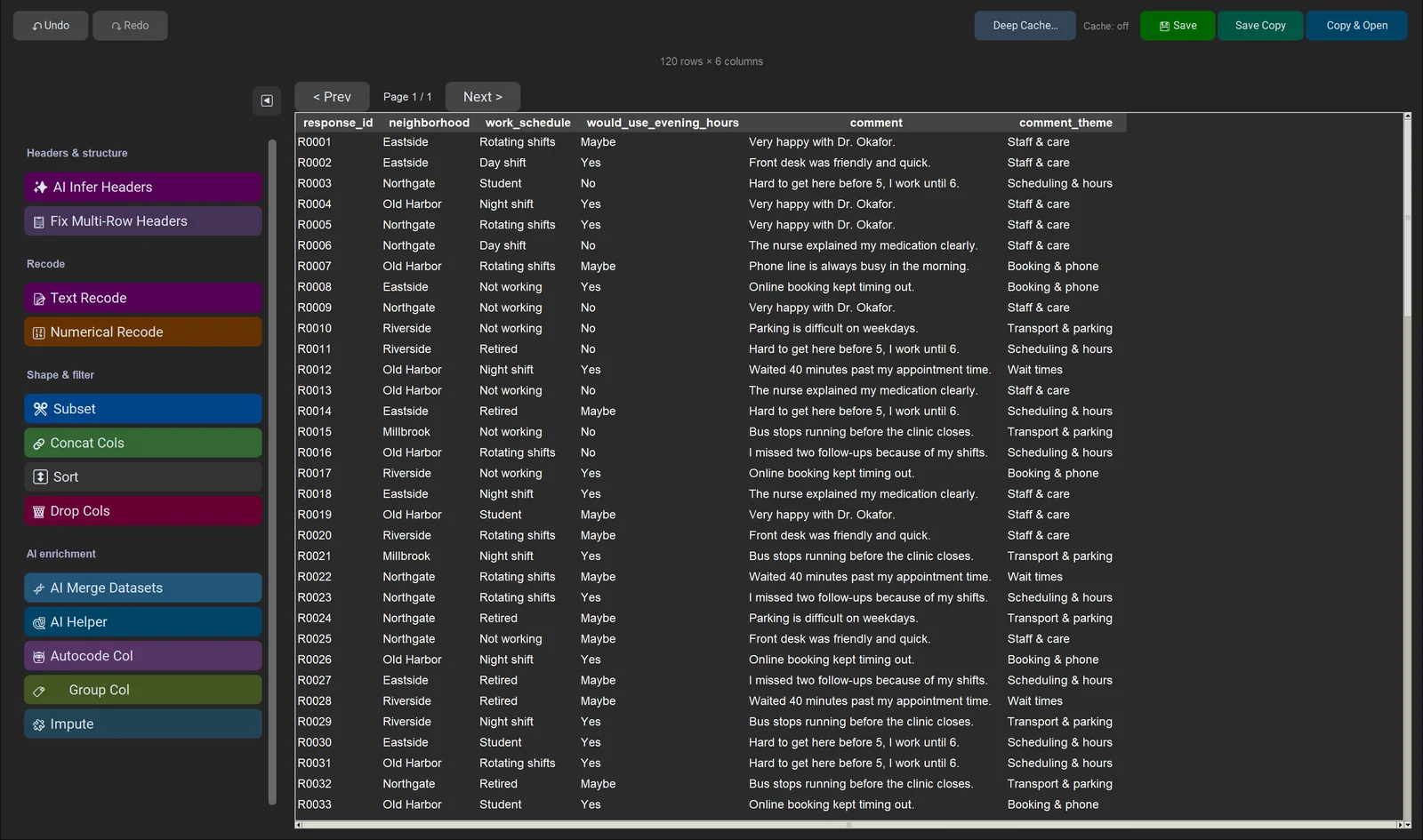
In Live Table, Autocode runs a prompt on every row. We asked it to sort each free-text comment into one of five themes.
New column: comment_theme
"Hard to get here before 5, I work until 6." → Scheduling & hours
"Phone line is always busy in the morning." → Booking & phone
"Bus stops running before the clinic closes." → Transport & parking
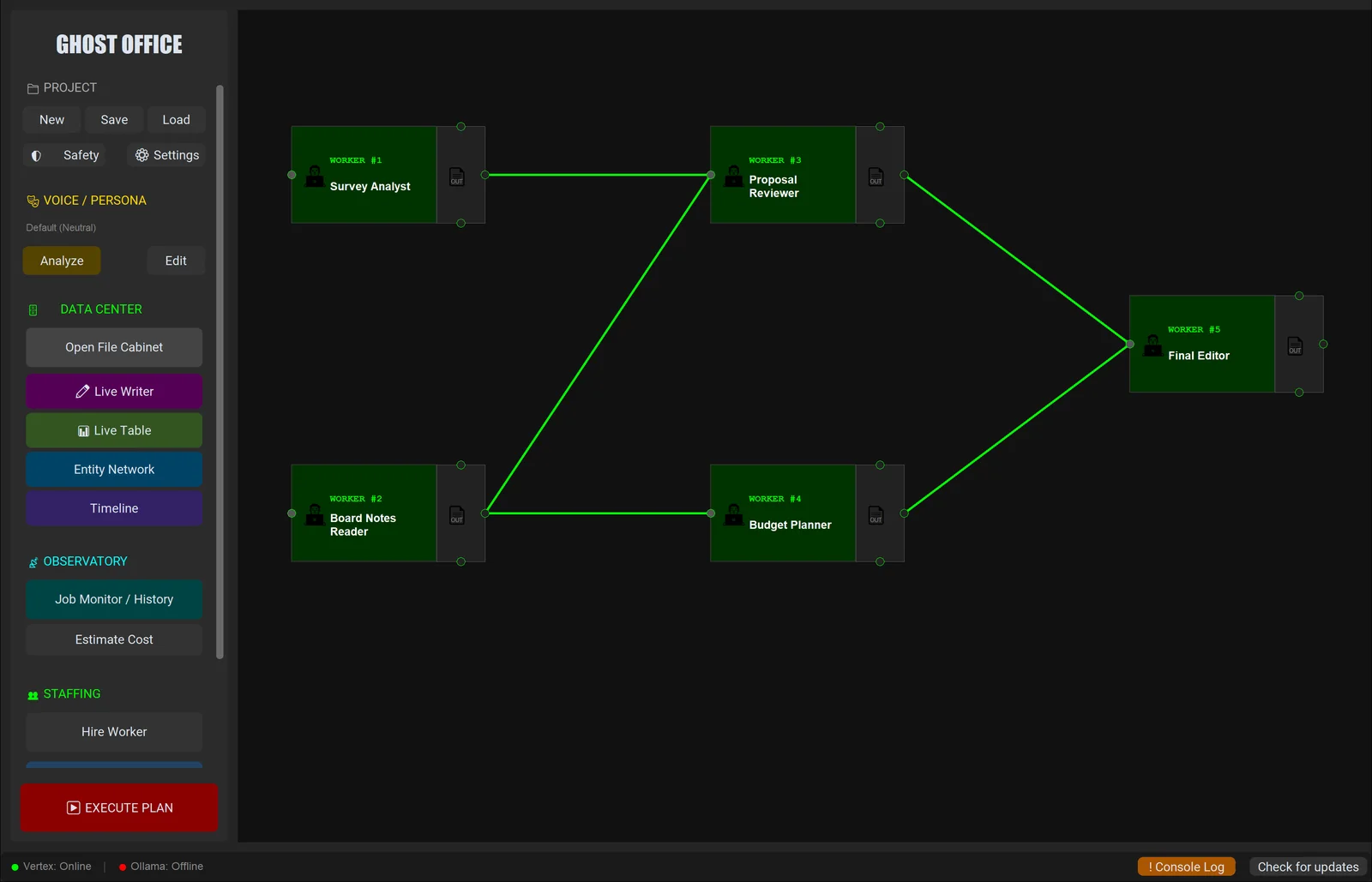
Five workers read the survey and board notes, review the proposal against both, draft a monthly budget and write a memo to the board. Every run is kept with each worker's output and inputs.
What's in the box
Workflows on a canvas, Live Table, and Gmail, Drive and mbox import are in Labs, one switch away in Settings.
Opens .docx and .txt, infers the outline, and keeps AI edits, comments and research in separate panes with undo and history.
Run a batch of edits, critiques or research tasks across a document and review every result before it goes in.
One place for a project's sources: documents, notes, spreadsheets and CSVs.
Map the people, organizations and places across your sources, and lay events out in order.
Gemini, Claude, OpenAI or any OpenAI-compatible endpoint with your own key, Ollama for offline work, or Google Vertex AI.
Only the text you run an action on goes to the provider you picked. With Ollama, nothing leaves your machine.
Try it
Then $50 once, with updates included. Personal and Business licenses are available on the Deep Person software shop.